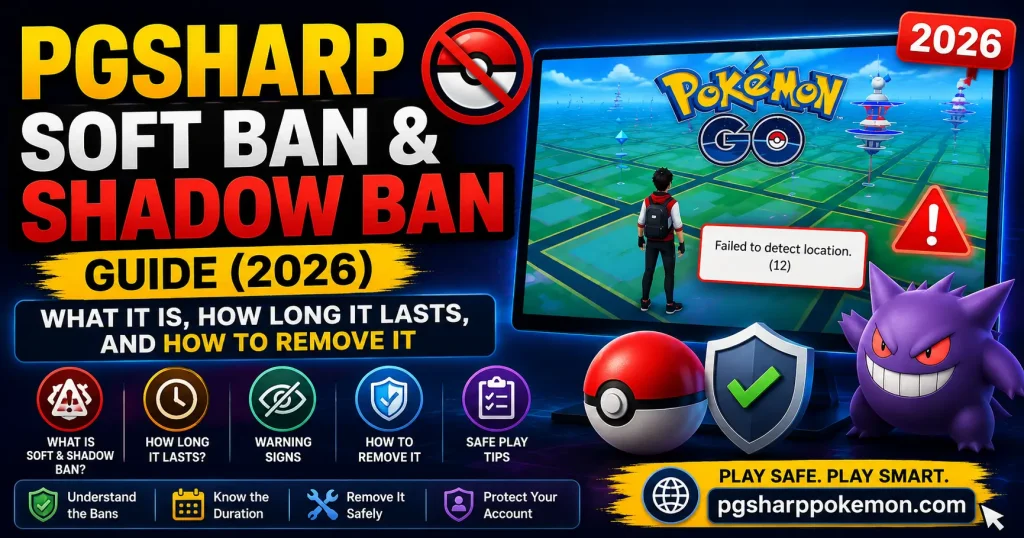
PGSharp Soft Ban & Shadow Ban Guide (2026): What It Is, How Long It Lasts, and How to Remove It
If you’ve been spoofing with PGSharp and suddenly every Pokémon flees after one throw, PokéStops throw a “Try Again Later” error, or your rare spawns have quietly disappeared — you’re not imagining it. You’ve almost certainly triggered a soft ban or a shadow ban.
The good news: neither one is permanent, and both are completely avoidable once you understand how Niantic’s detection system actually works. This guide breaks down exactly what’s happening to your account, how long you’ll be stuck waiting, and the fastest safe way to get back to full-speed spoofing — without making things worse.
Quick Answer (TL;DR)
- PGSharp soft ban = temporary lock on catching/spinning, usually 30 minutes to 24 hours, sometimes up to 7 days if it’s tied to a strike.
- PGSharp shadow ban = rare/event Pokémon stop spawning even though the game looks normal. Usually clears in 7–14 days of clean play.
- There is no instant fix or unban tool. Anyone selling one is scamming you.
- The fastest real recovery method is to stop spoofing immediately, stay in one spot, and let the timer run out.
- Repeated violations escalate to a 30-day suspension, and eventually a permanent ban.
What Is a PGSharp Soft Ban?
A soft ban is Niantic’s first and lightest response to suspicious activity — and it’s almost always the direct result of breaking PGSharp’s cooldown rules. When you teleport a large distance and then immediately catch a Pokémon, spin a PokéStop, or join a raid, the game’s anti-cheat system flags the action as physically impossible for a real person and temporarily locks you out of those features.
How to Know You’re Soft Banned
You don’t get a popup that says “you are banned.” Instead, you’ll notice:
- Pokémon run away after a single throw, even with a perfect Excellent throw
- “Try Again Later” error when you try to spin a PokéStop
- No rewards from Gyms or raids, even after winning
- A GPS error like “Failed to Detect Location” appears even though your location is clearly working
- Eggs stop hatching despite the distance ticking up
If two or more of these are happening at once right after a long-distance teleport, that’s your confirmation.
How Long Does a PGSharp Soft Ban Last?
This is the question everyone actually wants answered, so here’s the straight breakdown:
| Trigger | Typical Duration |
|---|---|
| Catching/spinning immediately after a short teleport (under 10km) | A few minutes to 30 minutes |
| Ignoring the cooldown timer on a mid-range jump (10–100km) | 30 minutes to 2 hours |
| Long-distance “global” teleport without waiting | 2 hours to 12 hours |
| Repeated violations in a short window | Up to 24 hours, sometimes 7 days |
The exact time depends on how far you jumped and how the PGSharp cooldown chart classifies that distance — this is exactly why the in-app Cooldown Timer exists. If you respected it and still got soft banned, it usually means you acted on something (a catch, a spin, a battle) microseconds before the timer actually hit zero.
A soft ban tied to a “strike” (meaning Niantic’s system logged it as a confirmed ToS violation, not just a one-off cooldown miss) behaves differently and can stretch to a 7-day restriction, which functions more like a probation period than a simple cooldown.
PGSharp Shadow Ban: The Quieter, More Frustrating Punishment
A shadow ban is different from a soft ban in one important way: nothing looks broken. The map loads, PokéStops spin, Gyms work fine — but something is clearly off.
Signs You’ve Been Shadow Banned
- Rare and legendary Pokémon stop appearing entirely, no matter where you teleport
- Event-exclusive spawns (Community Day specials, raid bosses) never show up for you
- Your Nearby Radar and Quick Sniper feed start looking suspiciously “clean” — only common species
- A friend standing in the same spot sees completely different (better) spawns than you do
Niantic has never officially confirmed the exact mechanics of a shadow ban, but years of community testing (Reddit, Discord, PGSharp forums) point to the same conclusion: it’s a silent flag applied when the system detects a third-party client — like PGSharp — repeatedly interacting with the game in non-human patterns, even if no single action crossed an obvious line.
How Long Does a Shadow Ban Last?
Most confirmed cases clear up in 7 to 14 days of completely normal play. If your account is still showing only common spawns after a full month, the flag may be more severe, and starting fresh on a new account becomes the more realistic option.
PGSharp Ban Escalation: The 3-Strike System
Niantic doesn’t ban accounts the moment it sees a single mistake. It escalates:
Strike 1 — Soft Ban / Warning (hours to 7 days) Your first flag. Catching and spinning get locked temporarily. This is recoverable just by waiting.
Strike 2 — 30-Day Suspension If the behavior repeats, you’ll get logged out entirely for 30 days. Access returns afterward, but this is your last warning.
Strike 3 — Permanent Ban Continued violations after two strikes result in permanent account termination. Every Pokémon, every item, every hour you put in — gone, with no recovery option.
This is exactly why “just wait it out and keep playing carefully” is the only sustainable long-term strategy. There is no version of PGSharp, no setting, no key that makes you immune to strike 3 if you keep ignoring strike 1.
What Actually Triggers a Ban While Using PGSharp
Beyond the obvious “teleported too far and caught something too fast,” these behaviors quietly add up:
- Catching a Pokémon in a different location than where you originally tapped it — clicking on a spawn, then jumping elsewhere and catching it triggers an impossible-travel flag
- Multiple long jumps back-to-back without letting any cooldown finish
- Running PGSharp on multiple accounts from the same device at the same time
- Joining raids far from your last logged position
- Playing for unrealistically long, uninterrupted sessions (10+ hours) — this reads as bot-like behavior even without spoofing
- Logging into the same account from two different regions within minutes of each other
- Using outdated PGSharp builds that haven’t been updated with the latest anti-detection patches
How to Remove a PGSharp Soft Ban (Step by Step)
There is no shortcut, no “unban code,” and no premium key that lifts a ban instantly. Anyone online claiming otherwise is either lying or trying to get you to download something malicious. Here’s what actually works:
Step 1 — Stop interacting immediately. The moment you notice the symptoms (fleeing Pokémon, spin errors), stop catching, stop spinning, stop battling.
Step 2 — Stay where you are. Don’t teleport again. Every additional jump while flagged restarts the clock and risks escalating you to the next strike.
Step 3 — Check the cooldown timer. Open PGSharp’s built-in Cooldown Timer and note how much time is left based on your last jump distance. This gives you a realistic estimate of when the lock will lift.
Step 4 — Wait it out. For a standard soft ban, this is anywhere from a few minutes to a few hours. For a strike-level soft ban, plan for up to 7 days.
Step 5 — Resume with light, local activity. Once the timer clears, don’t immediately jump across the world again. Spin a few nearby stops, catch a couple of common Pokémon, and let the account “settle” before doing anything aggressive again.
Step 6 — If it’s a shadow ban, play it straight for two weeks. Stop spoofing entirely during this window. Walk around your real location, catch what spawns naturally, spin real stops. This is the only verified way to clear a shadow flag.
How to Avoid Getting Banned Again
Prevention is far less painful than recovery. These habits will keep you safely under the radar long-term:
- Always respect the full cooldown time shown in PGSharp, even if it feels excessive
- Use an alt account for testing new spots, snipes, or risky long-distance jumps — keep your main account on safer, shorter movements
- Avoid stacking multiple long teleports in one session
- Update PGSharp within 24–48 hours of every Pokémon GO update — older builds are easier for Niantic’s system to flag
- Don’t run PGSharp on more than one account per device at the same time
- Take breaks. Marathon sessions of 8+ hours look automated even when you’re playing manually
- Avoid joining raids or gyms in locations you weren’t realistically just in
PGSharp Soft Ban vs Shadow Ban vs Permanent Ban — Quick Comparison
| Soft Ban | Shadow Ban | Permanent Ban | |
|---|---|---|---|
| Visible symptom | Catch/spin errors | Spawns look “normal” but rare ones vanish | Can’t log in at all |
| Typical duration | 30 min – 7 days | 7 – 14 days | Forever |
| Trigger | Cooldown violation | Repeated non-human interaction patterns | Multiple repeated strikes |
| Fix | Wait it out | Play clean for 1–2 weeks | None — account is gone |
| Risk to account | Low | Medium | None left to lose |
Frequently Asked Questions
Does PGSharp protect me from soft bans? PGSharp’s built-in Cooldown Timer is designed to help you avoid triggering one, but it only works if you actually follow it. The app cannot override Niantic’s detection system — it can only warn you.
Can I get unbanned faster by contacting Niantic support? For a standard soft ban, no — there’s nothing to “appeal” since it’s an automated, temporary restriction that lifts on its own. Contacting support is only worth it if you believe you were wrongly hit during a known false-positive ban wave.
Will switching PGSharp versions remove my ban? No. Updating or downgrading the app has zero effect on a ban that’s already been applied to your account on Niantic’s servers. It can only help you avoid the next one.
Is it safe to keep using PGSharp on the same account after a soft ban? Yes, once the cooldown has fully expired and you ease back in with normal local activity first. Jumping straight back into aggressive long-distance spoofing right after a ban is the most common cause of strike escalation.
What’s the difference between a soft ban and a “Try Again Later” error from a server issue? If the error only appears on PokéStops and Gyms but catching works fine, and it clears up within a few minutes regardless of location, it’s more likely a server hiccup. A true soft ban affects catching too and is tied directly to your last big jump.
Should I make a new account after a shadow ban? Only if it’s been over a month with zero improvement despite playing completely clean. Most shadow bans resolve within two weeks — starting over should be a last resort, not a first reaction.
Final Word
A PGSharp soft ban or shadow ban feels alarming the first time it happens, but it’s a built-in, predictable part of how Niantic protects the game — not a death sentence for your account. Respect the cooldown timer, avoid stacking risky jumps, keep PGSharp updated, and treat your main account with more caution than your alt. Do that consistently, and you’ll spend far more time catching Pokémon than waiting out timers.

Muhammad Younas is an expert in Pokémon Go enhancements, with a special focus on PGSharp. He provides in-depth guides and tips to help players make the most out of PGSharp for a smoother and more enjoyable gaming experience. Dedicated to staying up-to-date with the latest developments, Muhammad shares valuable insights to help both new and experienced players enhance their gameplay. Follow him for the latest updates and tricks in the world of Pokémon Go.