PGSharp for iOS: How to Download & Safer Pokémon GO Option
Over the past year, PGSharp’s popularity has continued to decline, especially among experienced Pokémon GO spoofers. The situation is even more concerning for iOS users, as PGSharp still does not provide official support for iPhone or iPad.
Online communities like Reddit and Discord are filled with reports of warning strikes, cooldown errors, and permanent bans linked to unofficial PGSharp iOS methods. Many websites still promote unsafe installation tricks without explaining the risks. In this 2026 guide, we explain whether PGSharp works on iOS, why it’s risky, how users try to install it, and what safer alternatives iOS players should consider to protect their Pokémon GO accounts.
Does PGSharp Work on iOS? Here’s What You Need to Know (2026)
Short answer: No, PGSharp does not officially work on iOS.
PGSharp is an Android-only Pokémon GO spoofing app, and the developers have never released a native version for iPhone or iPad. Because of this limitation, iOS users are often forced to rely on jailbreak methods, emulators, or third-party installers, which significantly increase the risk of account strikes and permanent bans.
Many websites falsely claim that PGSharp works on iOS, but in reality, these methods are unofficial, unstable, and unsafe. This is why most experienced spoofers avoid using PGSharp iphone in 2026 and instead look for safer alternatives designed specifically for Apple devices.

PGSharp Is Android Only
PGSharp was built exclusively for Android users and works best on rooted or non-rooted Android devices. It modifies Pokémon GO gameplay by adding advanced spoofing features that are not supported on iOS.
Key Features of PGSharp (Android Version)
PGSharp offers several powerful tools for Android spoofers, including:
- Location spoofing for anywhere in the world
- On-screen joystick controls for smooth movement
- Built-in cooldown timers to reduce soft bans
- Auto-catch support via virtual GO Plus
- Map teleportation for fast location switching
- Pokémon encounter IV preview
- Raid feeds and sniping tools
⚠️ These features do not work natively on iOS, and attempting to replicate them through unofficial methods can put your Pokémon GO account at serious risk.
How to Install PGSharp on iOS [2 Methods – 2026]
Since PGSharp is Android-only, iOS users cannot install it directly on iPhone or iPad. However, some users rely on cloud-based Android phones to access PGSharp indirectly. One such workaround was shared in PGSharp’s official Discord, but it’s important to understand that this method is not fully safe and comes with limitations.
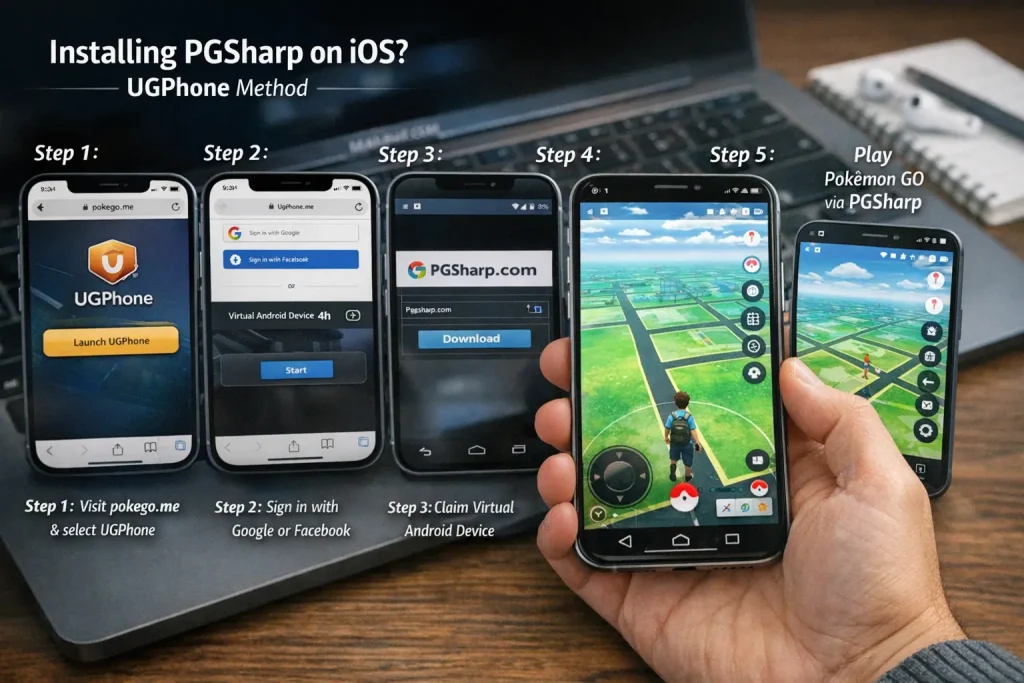
Method 1: UGPhone (Browser) + PGSharp (Relatively Safer Option)
This method uses a cloud Android device that runs inside your iOS browser. PGSharp is installed on the virtual Android phone—not on your actual iPhone—making it slightly safer than direct sideloading or jailbreaking.
How It Works
Step 1:
Open your iOS browser and visit pokego.me, then select UGPhone.
Step 2:
Create an account using your Google or Facebook login.
Step 3:
After logging in, choose “Open in a Webpage” and use your partner or earned credits to claim a virtual Android device for 4 hours.
Step 4:
Inside the cloud phone interface, open Chrome and download PGSharp from a trusted source.
Step 5:
Log in to your Pokémon GO account within the cloud-based Android system and start spoofing using PGSharp features.
Method 2: Download PGSharp via Third-Party Stores (Lower Safety – 2026)
Some iOS users try installing PGSharp through third-party app stores or emulators, but this approach is generally riskier than cloud-based methods. These options are unstable, frequently revoked, and not officially supported by PGSharp or Apple.
Option 1: BuildStore (Approximately 60% Safe)
BuildStore is a popular third-party iOS app store that hosts modded and tweaked apps. Many users search for PGSharp iOS here, hoping to install it directly on their iPhone.
However, as of 2026:
- PGSharp is not officially available on BuildStore
- Even if it appears temporarily, such apps are often revoked by Apple
- Modded Pokémon GO apps installed this way can trigger account strikes or bans
Because BuildStore apps rely on enterprise certificates, they frequently stop working without warning. This makes BuildStore one of the least reliable ways to use PGSharp on iOS.
⚠️ This method is not recommended for main Pokémon GO accounts.
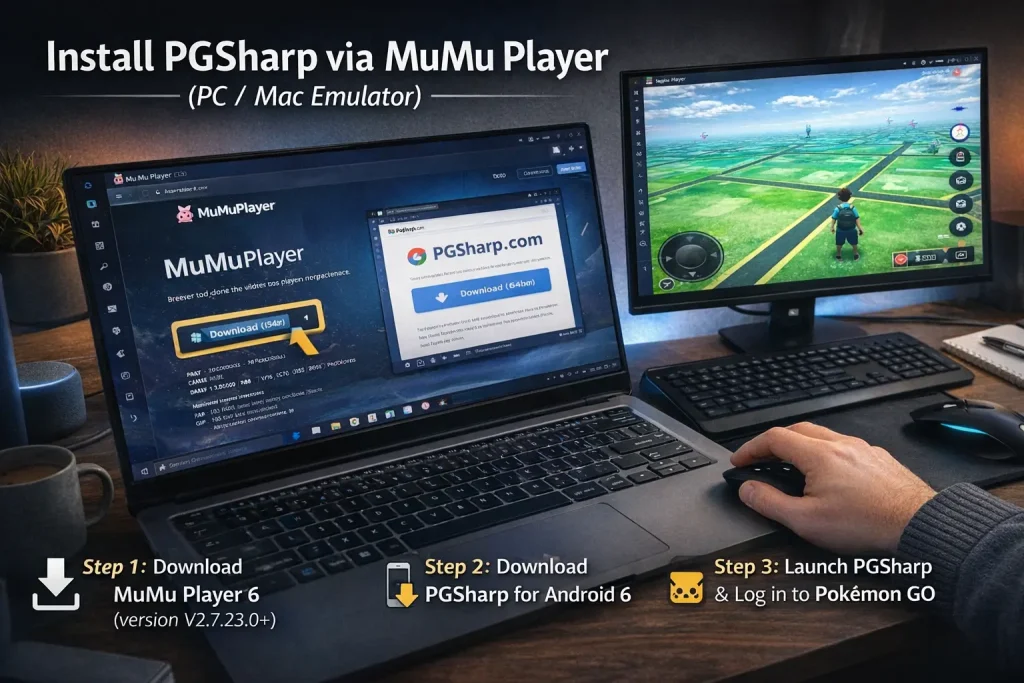
Option 2: MuMu Player (PC / Mac Emulator Method)
If BuildStore doesn’t work and you’re okay playing Pokémon GO on a computer, some users turn to MuMu Player, an Android emulator for Windows and macOS.
MuMu Player allows you to run Android apps—including PGSharp—on a desktop system. While this avoids iOS limitations, it introduces emulator-related risks.
How to Install PGSharp Using MuMu Player
Step 1:
Download MuMu Player 6 (64-bit) — version V2.7.23.0 or newer.
Step 2:
Open the emulator’s browser and visit the official PGSharp website.
Click “Looking for other downloads” → “Download PGSharp for Android 6”, then install the app.
Step 3:
Launch PGSharp inside MuMu Player and log in to Pokémon GO.
Important Safety Note
- Emulator spoofing is easier for Niantic to detect
- This method has not been fully tested for safety
- Performance issues and crashes are common
- Always use a secondary (alt) account
- Avoid logging in with your main Pokémon GO account
⚠️ In 2026, emulator-based spoofing carries a high ban risk, even with cautious play.
Is PGSharp Safe for iPhone Users? (2026 Reality Check)
The simple truth is: PGSharp is not safe for iPhone users — especially if you care about keeping your main Pokémon GO account secure.
Because PGSharp does not officially support iOS, any attempt to run it on an iPhone relies on workarounds, third-party tools, cloud devices, or emulators. None of these methods come from the official developers, and all of them carry real risks.
Here’s why PGSharp is unsafe for iOS players:
1. No Official iOS Support
PGSharp was designed for Android only. Anything claiming to make it work on iPhone is an unofficial workaround — not supported by the developers and not recognized by Apple or Niantic.
2. High Account Risk
Using PGSharp through cloud browsers, third-party stores, or emulators increases chances of:
- Soft bans (temporary penalties)
- Cooldown warnings
- Permanent account suspension
Niantic actively detects modified behavior and non-standard login methods, so spoofing—even indirectly—can still trigger actions against your account.
3. Frequent Revokes and Instability
Methods like BuildStore, cloud phones, or emulators rely on enterprise certificates, temporary sessions, or external services. These get revoked without notice, meaning:
- The app stops working
- Pokémon GO may crash or freeze
- Data synchronization issues occur
This unpredictability makes it unsafe for long-term play.
4. Privacy & Security Concerns
Downloading PGSharp or related tools from untrusted sources can expose:
- Your login credentials
- Personal data stored on your device
- Malware or tracking software
Official Pokémon GO account security guidelines always recommend avoiding unauthorized third-party tools — and this applies even more for iOS workarounds.
PGSharp Not on iOS? Try a Safer Alternative — AnyTo (2026)
If you’re an iOS Pokémon GO player frustrated that PGSharp isn’t available for your iPhone or iPad, you’re not alone. Fortunately, AnyTo offers a safer and more reliable alternative for 2026.
Unlike PGSharp, AnyTo works on both iOS 16–26 and Android 16, and it doesn’t require jailbreaking or rooting your device. Since it’s not a modded app and connects via Bluetooth to your computer, it’s much harder for Niantic to detect, keeping your account safer.
Developed by a professional team of Pokémon GO enthusiasts, AnyTo keeps pace with every major game update, ensuring smooth performance and compatibility.
Key Features of AnyTo Pokémon GO Spoofer
- Regular updates for the latest Pokémon GO and iOS 18–26 versions
- Smooth joystick controls for precise walking, stopping, and turning
- Instant teleportation to any location for regional Pokémon or global raids
- Auto cooldown timer to avoid soft bans
- PokéStop map, IV checker, and real-time feeds for Pokémon, Gyms, and Raids
How to Spoof Pokémon GO with AnyTo (Step-by-Step)
Step 1: Install AnyTo on your iPhone and follow the setup instructions.
Step 2: Paste the coordinates or type your desired location, select a mode, and your in-game location changes instantly.
This method is safe, easy to use, and fully compatible with iOS—making it the ideal alternative for players who want spoofing without risking bans.
FAQs About PGSharp for iPhone
Conclusion
In 2026, PGSharp remains an Android-only Pokémon GO spoofing tool, and iOS users still face significant challenges if they try to run it on iPhone or iPad. Whether using cloud-based Android devices, third-party app stores, or emulators, all workarounds carry real risks—including account strikes, cooldown errors, app revokes, and potential bans.
For iOS players, the safest approach is to avoid unofficial PGSharp methods and instead focus on reliable, iOS-friendly alternatives that allow you to enjoy Pokémon GO without jeopardizing your main account. Always prioritize account security and privacy over shortcuts, and if you decide to experiment, use a secondary or alt account to minimize risk.
By understanding the risks and using safer alternatives, you can continue spoofing or exploring Pokémon GO in 2026 without unnecessary penalties.

PGSharppokemon is an expert in Pokémon Go enhancements, with a special focus on PGSharp. He provides in-depth guides and tips to help players make the most out of PGSharp for a smoother and more enjoyable gaming experience. Dedicated to staying up-to-date with the latest developments, Muhammad shares valuable insights to help both new and experienced players enhance their gameplay. Follow him for the latest updates and tricks in the world of Pokémon Go.